
The free Shopify integration provided by SimplBooks can be activated from the “Settings → Integrations” menu. Please note that this is not a fully automatic integration where sales orders are transferred to SimplBooks immediately upon entry. In order for orders to reach SimplBooks, you need to perform an import from your Shopify online store in the sales invoices list.
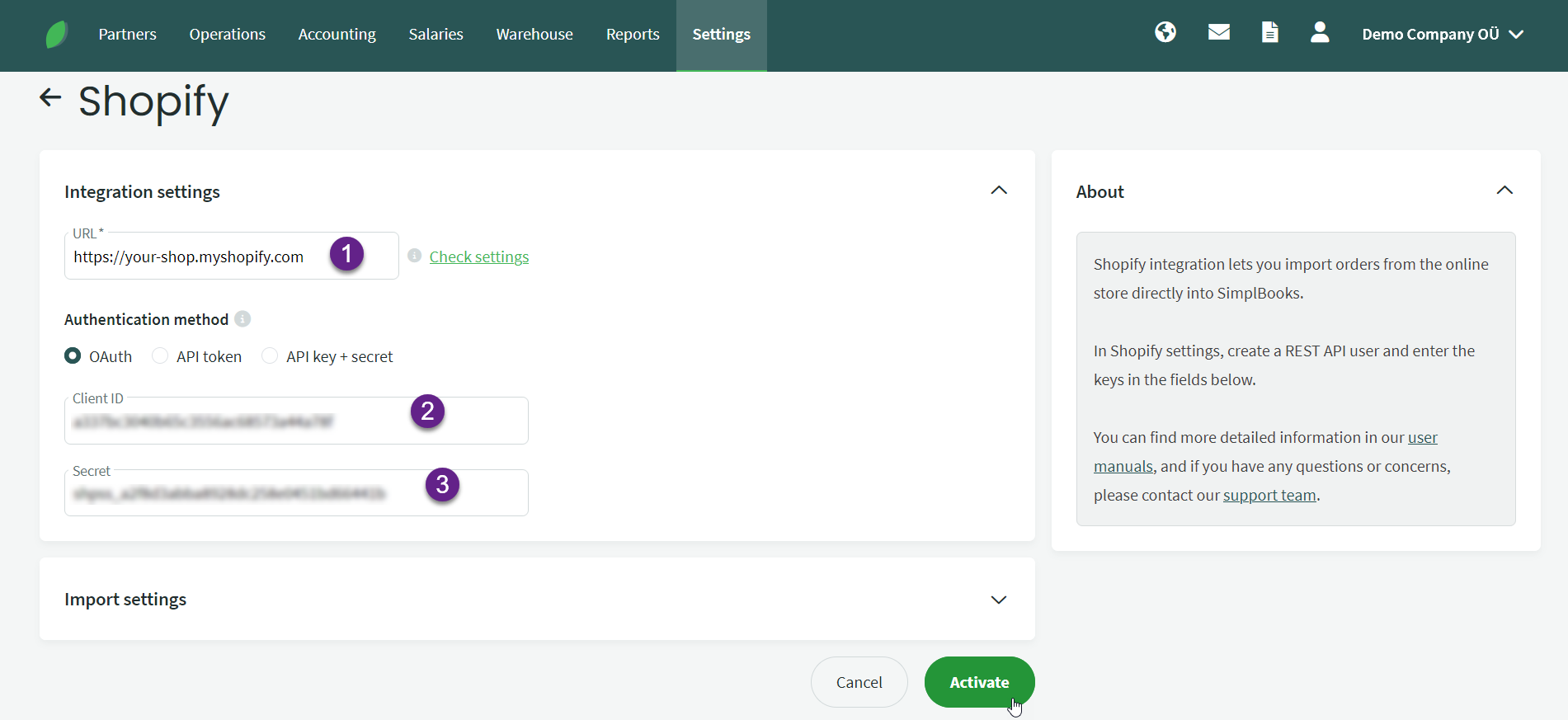
To activate the Shopify integration, you need to enter your online store’s public address and API token in the settings. The required details can be found in Shopify under “Apps and sales channels” settings. After successfully activating the integration, an additional option for importing orders from the Shopify environment will appear under the import button in the sales invoices list.
Just follow the instructions on the screenshots:
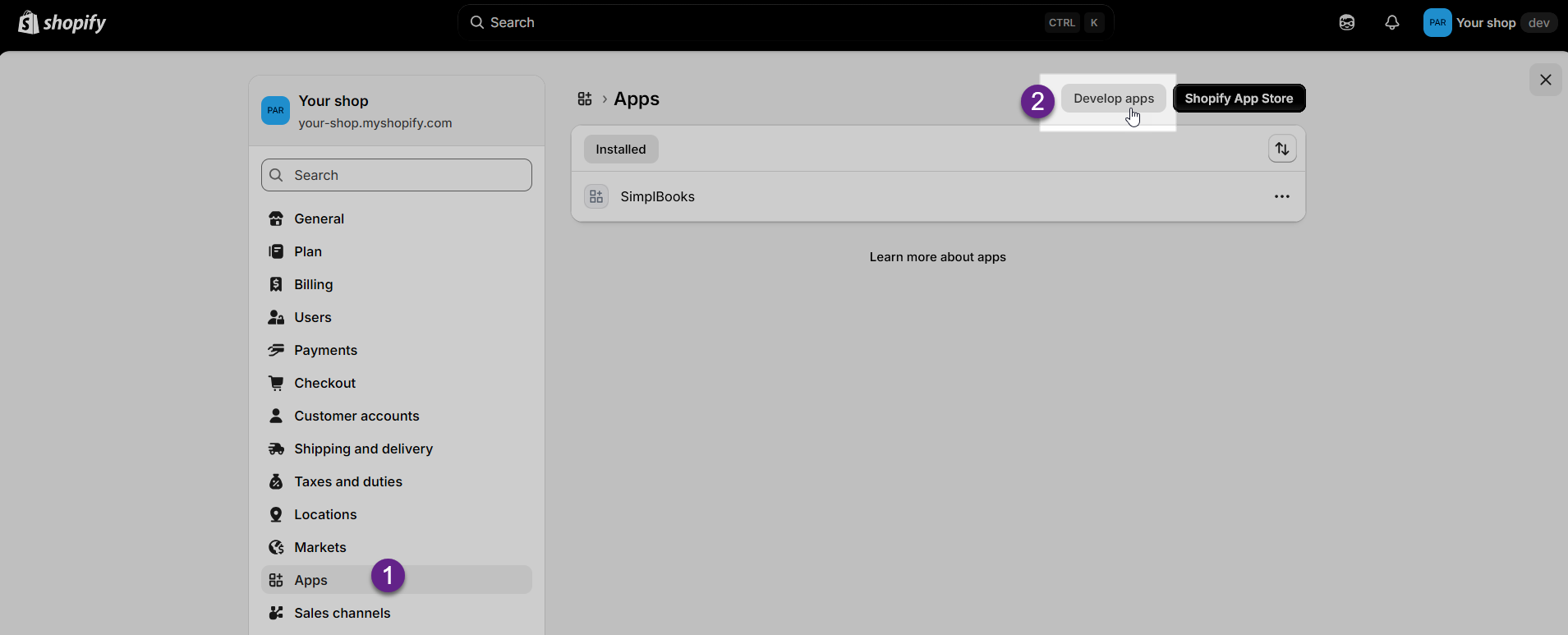
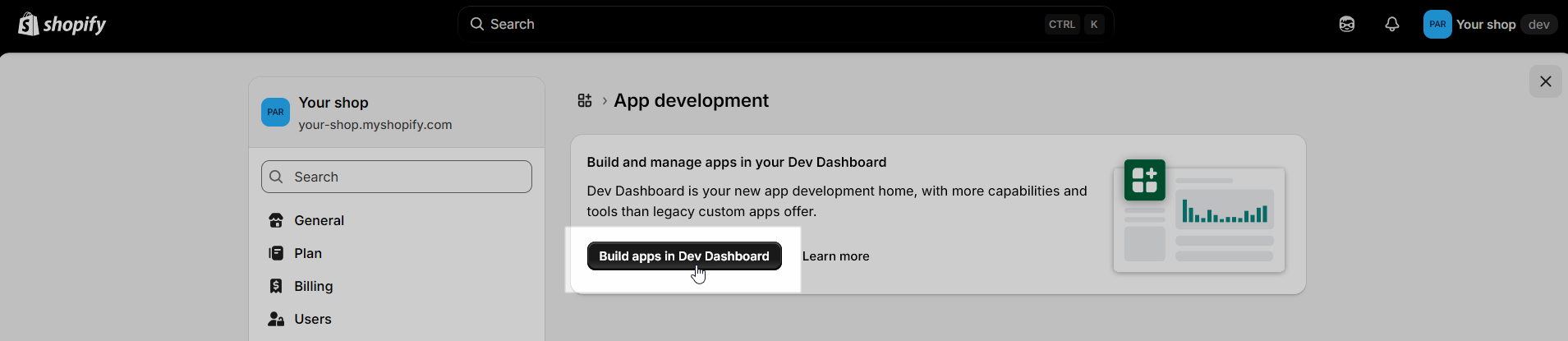
If “Dev Dashboard” displays a “Forbidden” error message during these two steps, use the older SimplBooks guide for Shopify integration (you will find it at the end of the Estonian guide).

Enter app name and click “Create”.
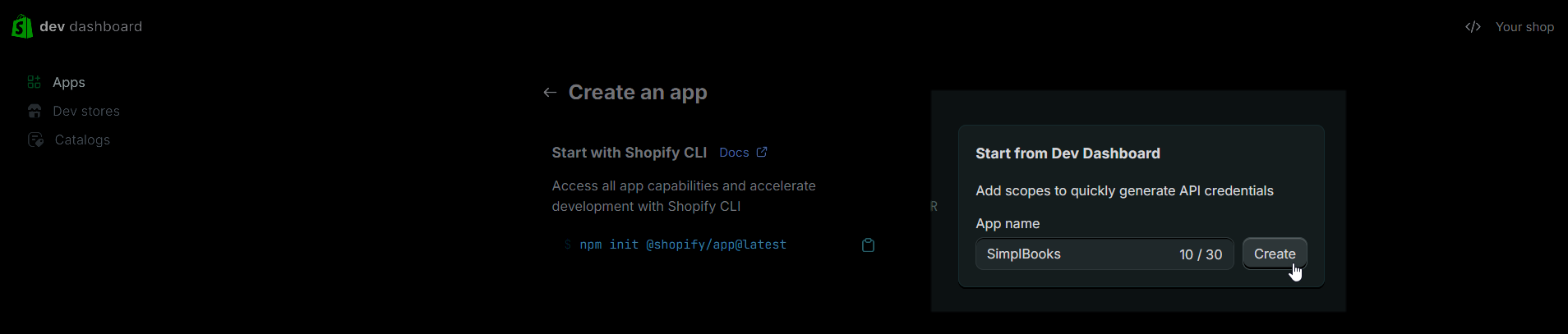
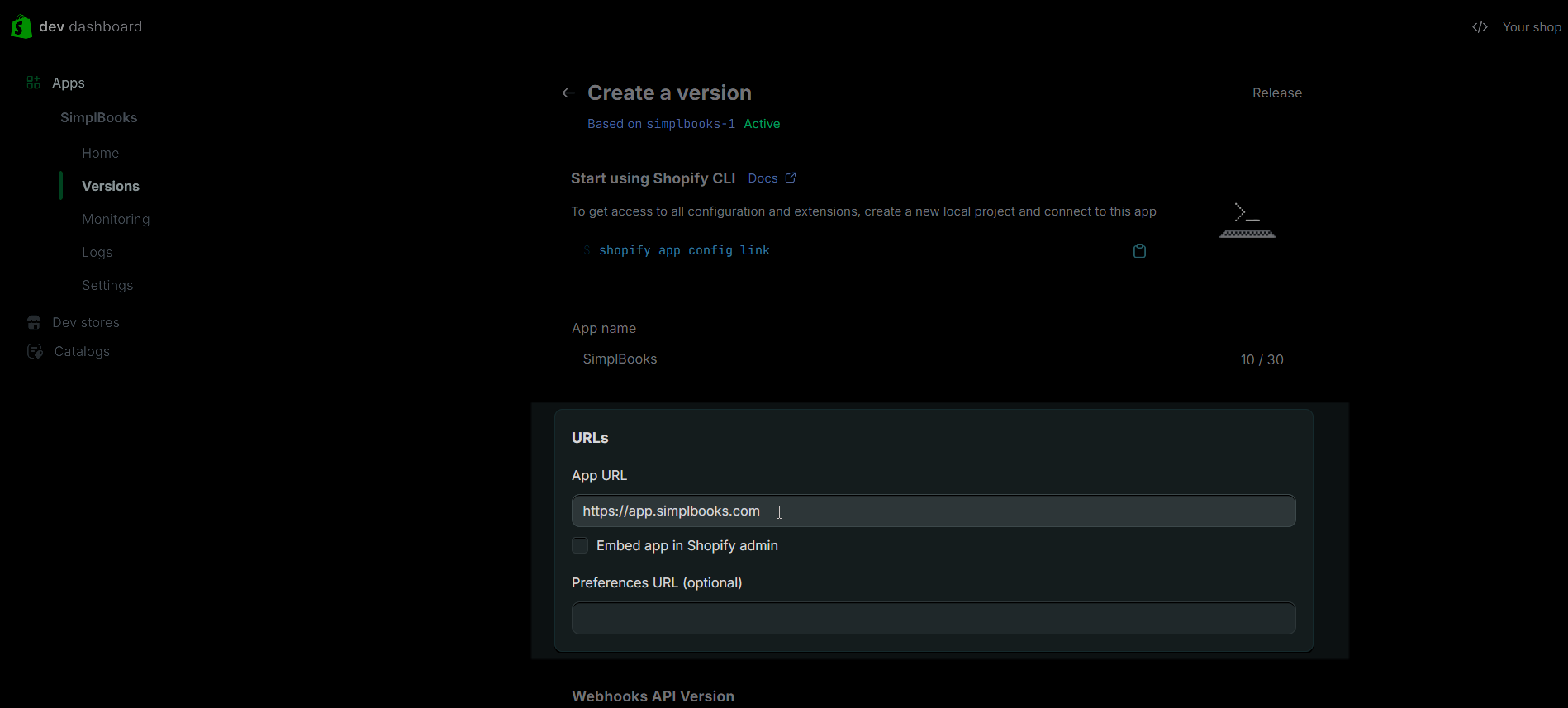
Insert app URL and unselect “Embed app in Shopify admin”.
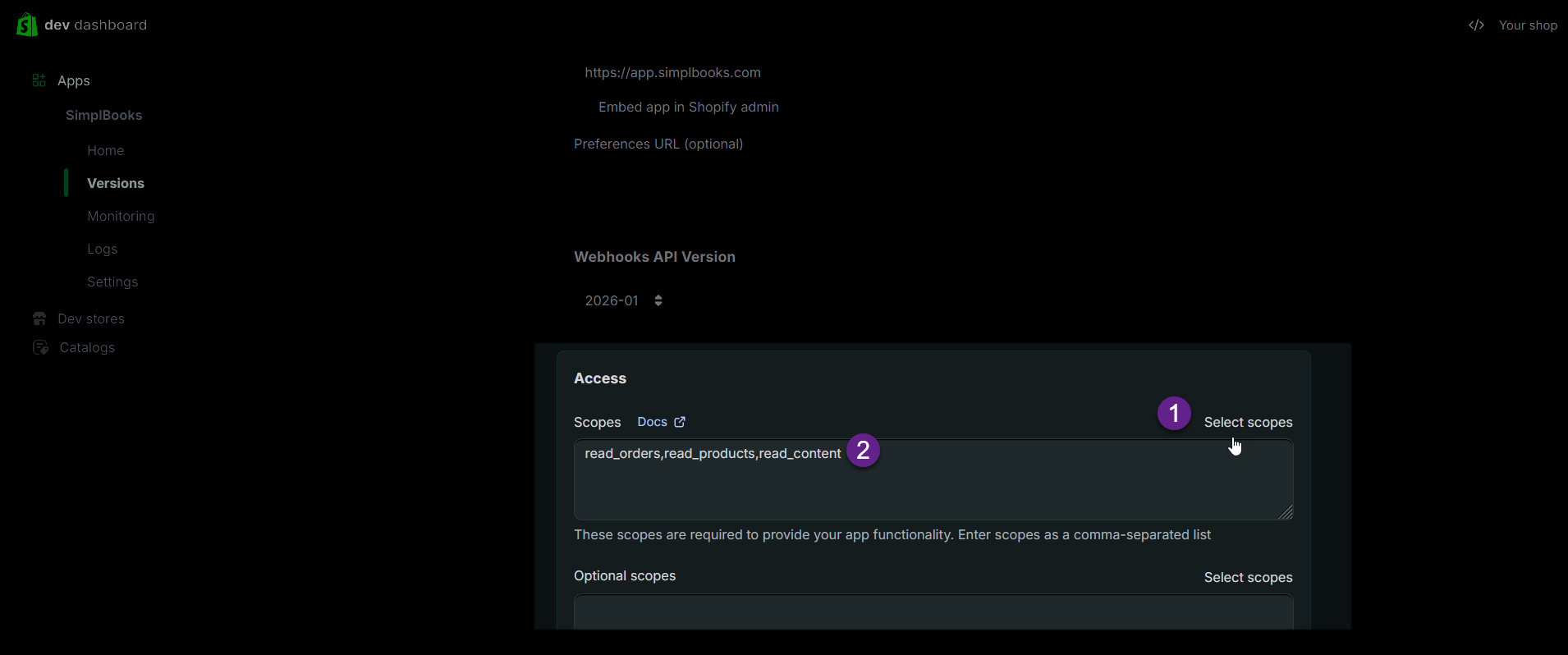
Choose access scopes: read_orders,read_products,read_content (use search bar in the modal that opens from “Select scopes” link.
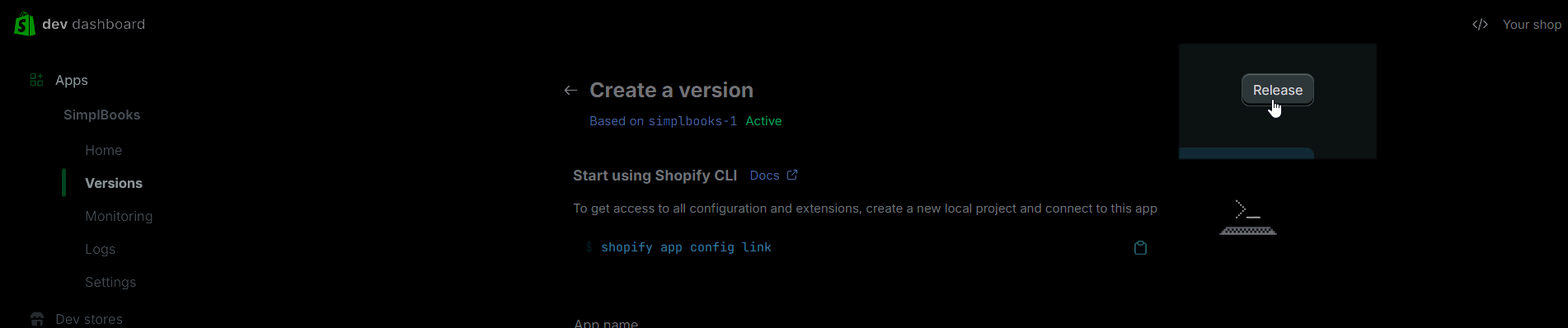
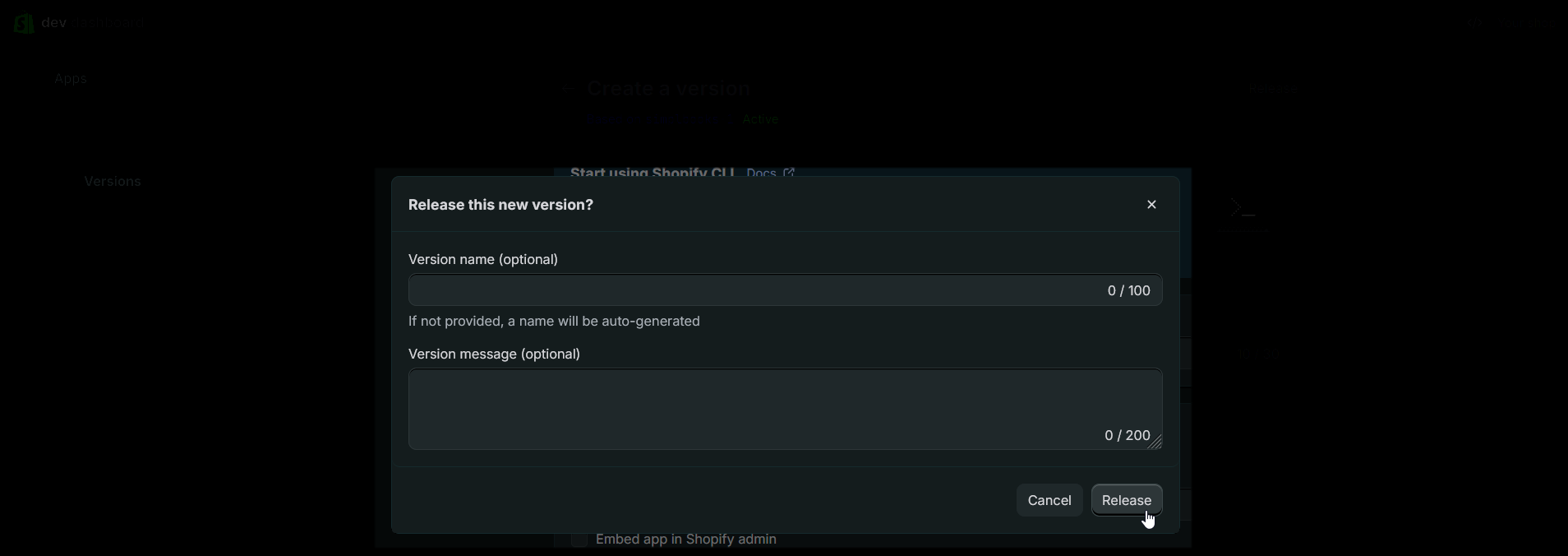
Click on “Release” and then again “Release” in the modal that opens.
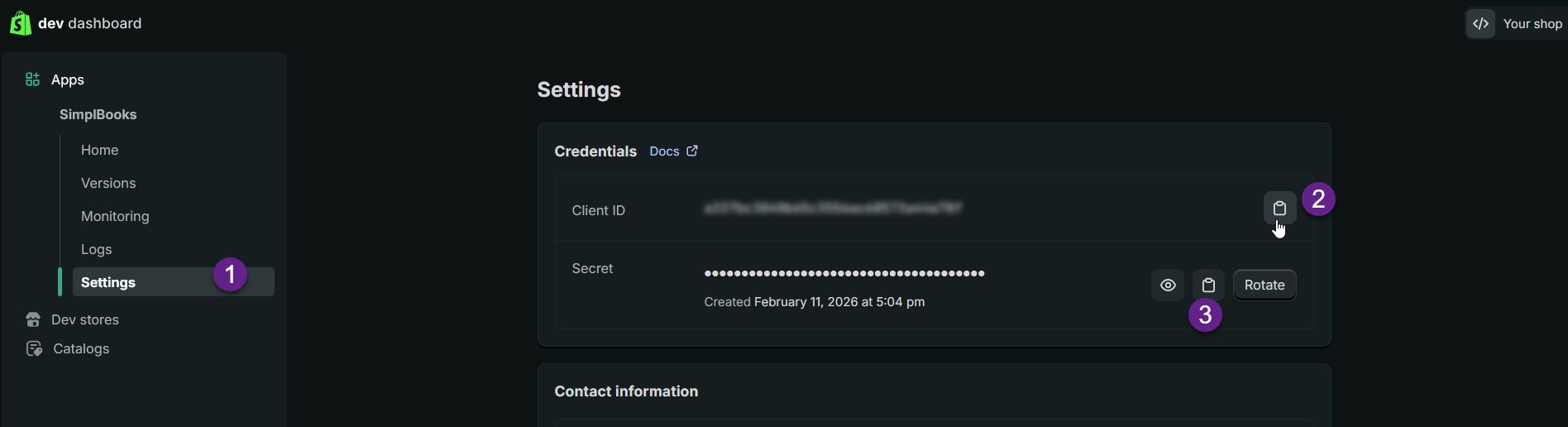
Then go to “Settings” in the left menu and copy Client ID and Secret. These are needed on the SimplBooks side in the Shopify integration activation settings.
Then go to “Home” in the left menu and click on “Install app“.
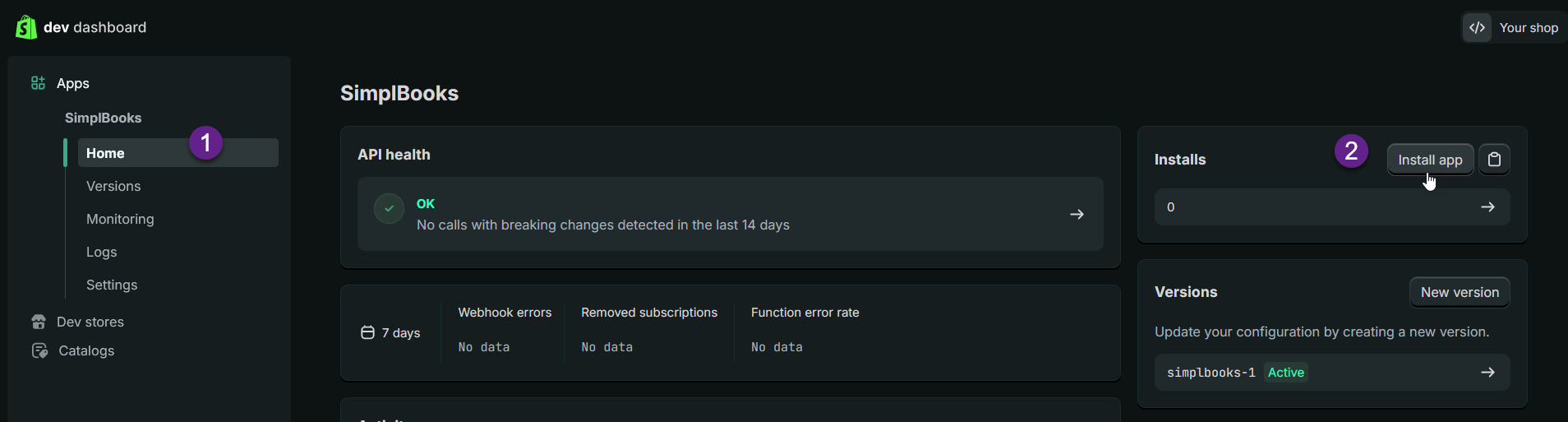
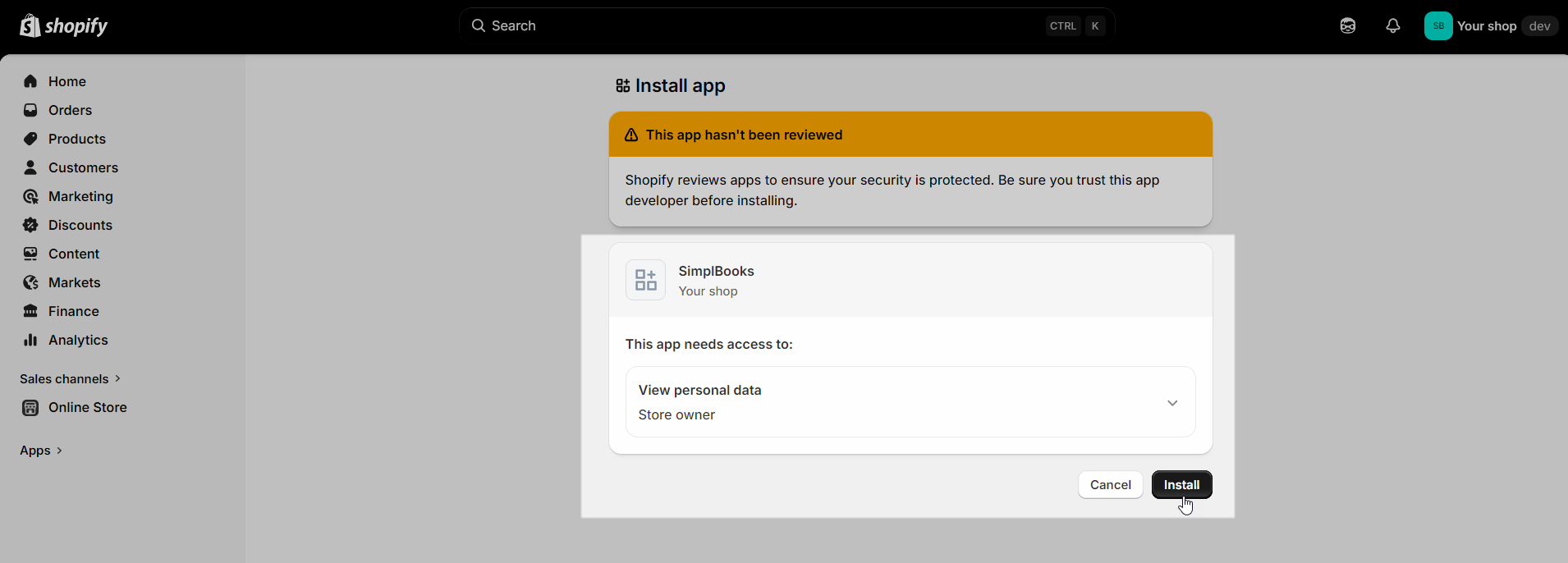
Choose your store and from the following screen choose “Install“.

As the last step log into your SimplBooks environment and open “Settings -> Integrations -> Shopify“. Enter your shop URL (URL format: https://your-store-name.myshopify.com), Client ID and Secret into settings (OAuth). Activate!
If you should run into any issues after this then please contact our support via e-mail support@simplbooks.ee.

Leave A Comment?