
The automatic transaction settings specify the default accounts used in different cases. In new environments, these settings are already configured correctly, and in most cases no changes are required.
Next, we will take a closer look at some of the sub-tabs.
Settings -> Automatic transactions
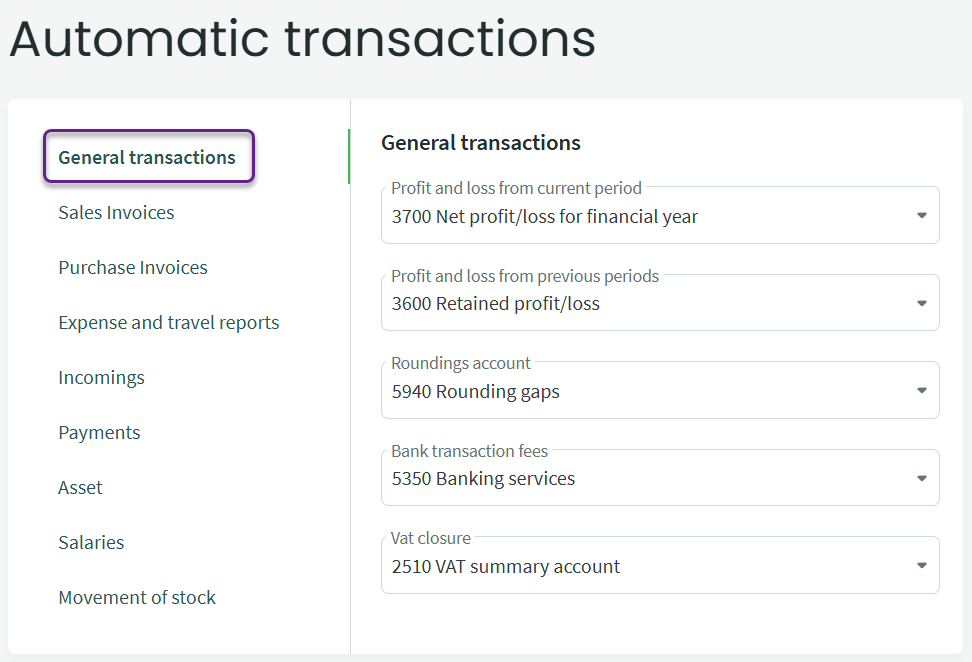
Here you can define the profit and loss accounts for the current year and for previous periods. These accounts must not be changed if the closing entries have already been generated. At the end of the financial year, the system automatically generates the closing entries for income and expense accounts. It also creates the profit/loss transaction needed to close the year. In most cases, the user does not need to intervene in this process.*
The rounding account is used when a minor cent-level difference needs to be recorded on a document (for example, rounding differences that may occur when entering purchase or sales invoices with VAT).
The bank service fees account is used to create the necessary linkage during bank import for automatically generating the correct entry.
The VAT summary account is used when generating the VAT statement period-closing entry (for the amount payable or overpaid).
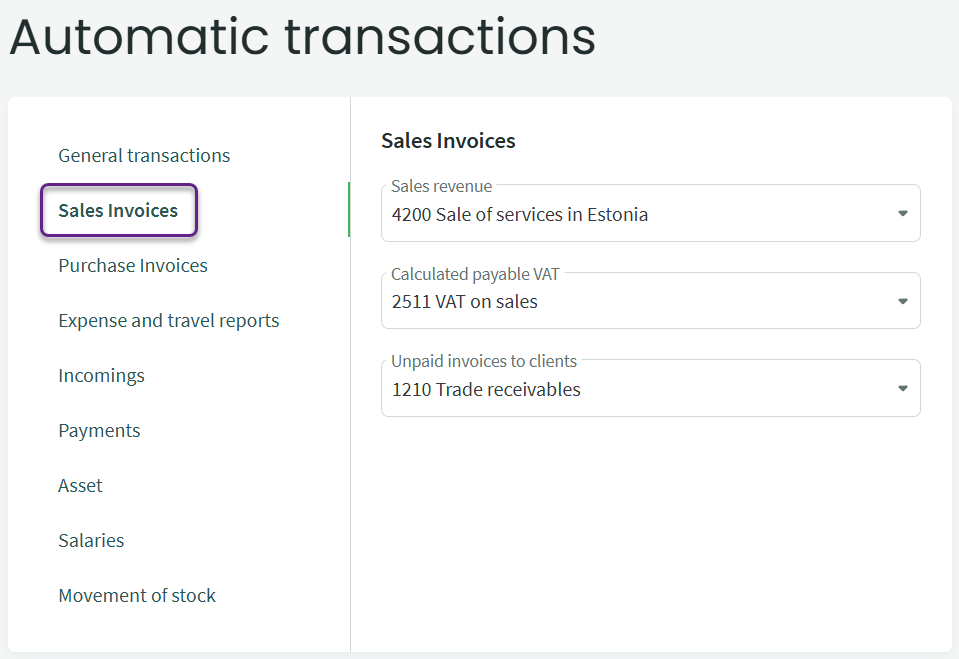
The settings defined here for sales invoices are used when the VAT class has no income account specified (Settings -> Environment settings -> VAT classes). If items are used on sales invoices and an income account is assigned to the item, the system will first use the income account specified on the item card when generating the entry.
If needed, receivables from clients can be recorded on different receivables accounts (for example, receivables from customers located in Estonia and those located outside Estonia). A separate receivables account can be assigned on the client card; this is an additional option and not mandatory.
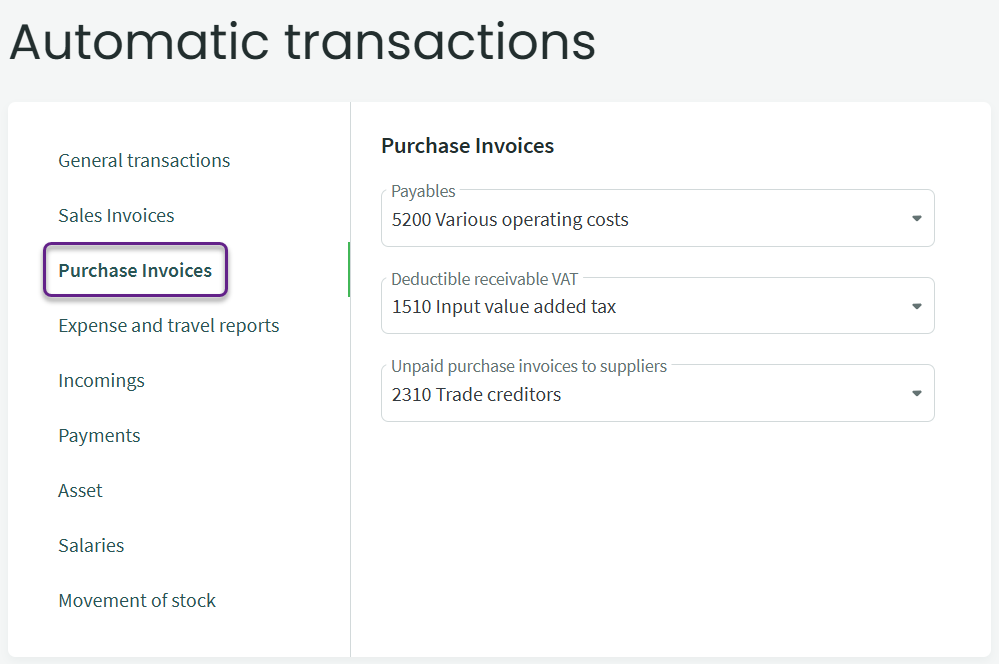
For purchase invoices, it is recommended to choose a default expense account that is most frequently used in practice. You can also assign a default expense account for each supplier on the supplier card. If you use items on purchase invoices and an expense account is defined in the item settings, the account specified on the item card will be used first priority.
You can also record amounts owed to suppliers on different liability accounts. For this purpose, the supplier card includes a field for assigning a liability account. Filling in this field is optional and simply provides the possibility to record liabilities on separate accounts when required.
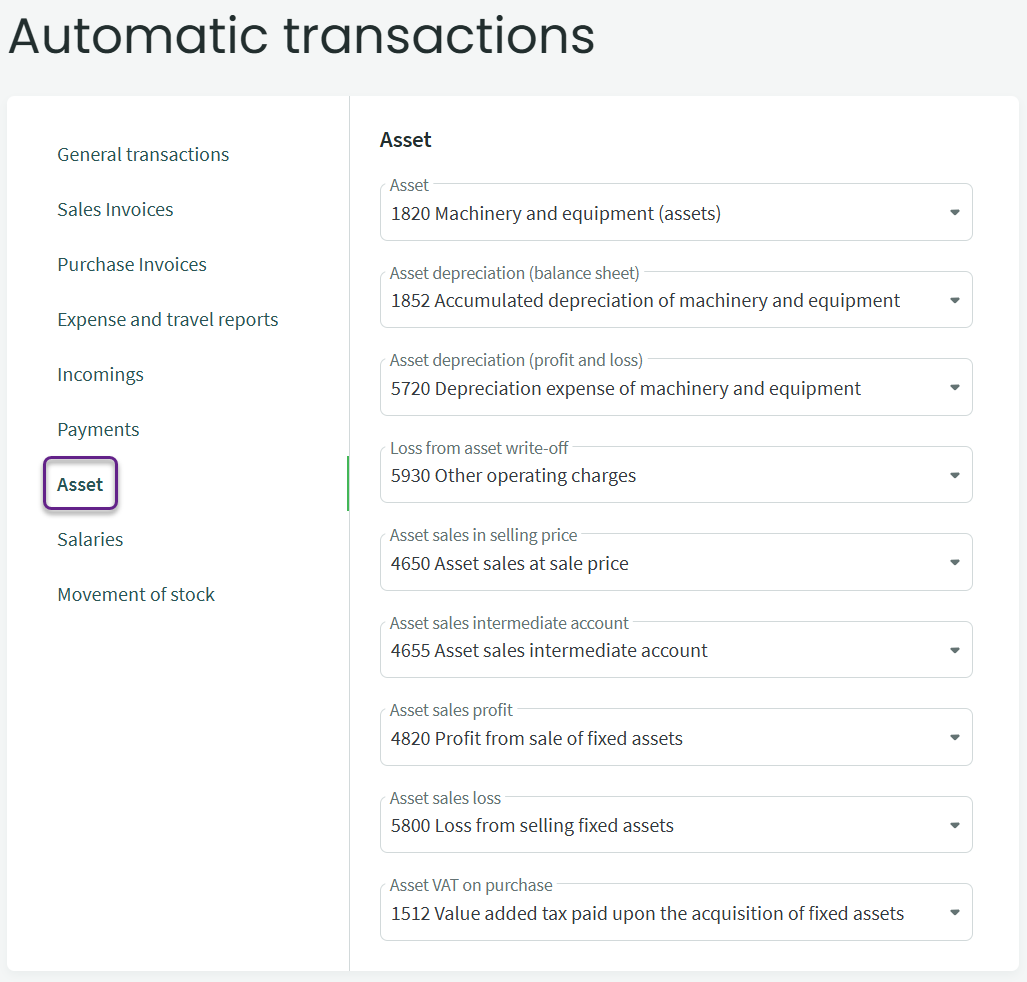
By default, the fixed asset accounts in the balance sheet and profit and loss statement are set to “Machinery and equipment (assets)”. If your company primarily uses “Other tangible assets,” update the first three accounts here (Asset, asset depreciation (balance sheet) and asset depreciation (profit and loss)).
The accounts related to the sale and write-off of fixed assets are important to ensure that the system automatically generates the correct entries when an asset is sold or written off.
The fixed asset sale at selling price account is also reflected in the VAT statement, and through intermediate accounts only the final result of the fixed asset sale (profit or loss) is recorded in the profit and loss statement.
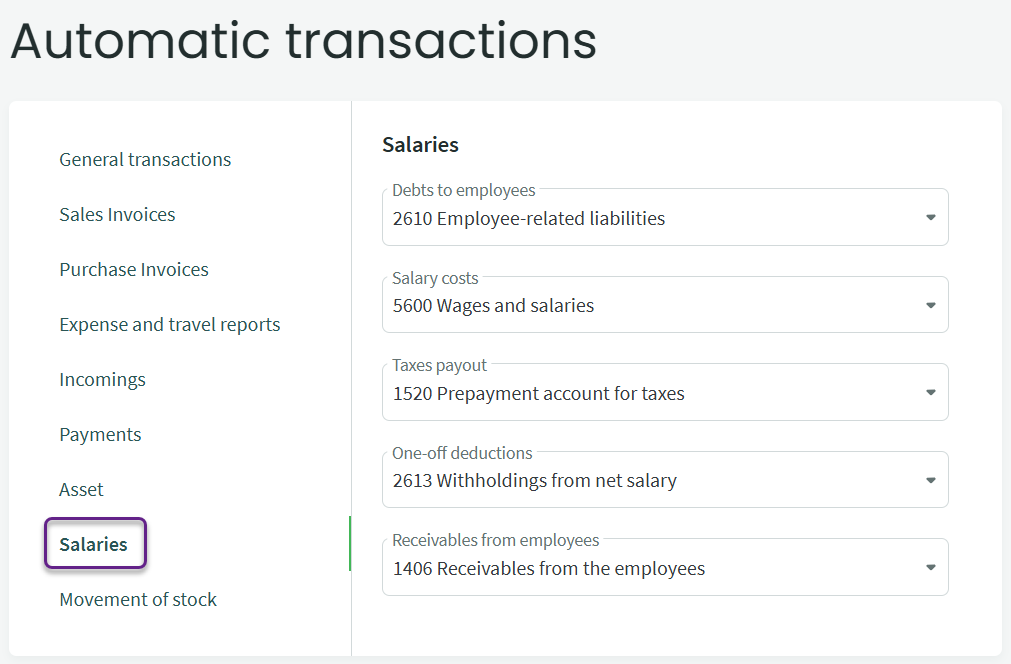
The most important thing here is to ensure that the accounts for “Debts to employees” and “Taxes payout” are specified.
It is also recommended to define the payroll deductions account if any amounts need to be withheld from an employee’s net salary (for example amounts to be paid to a bailiff, etc.).
If you have any additional questions, please write to us at support@simplbooks.ee

Leave A Comment?