
The documents issued by your company, such as sales invoices and quotations, must include your company’s basic information. This information is usually displayed in the footer of the document.
Advice Updating the data in your own environment does not update the information shown on the invoices SimplBooks sends to you. To update those details, the changes must be made in the billing profile.Settings -> Company profile
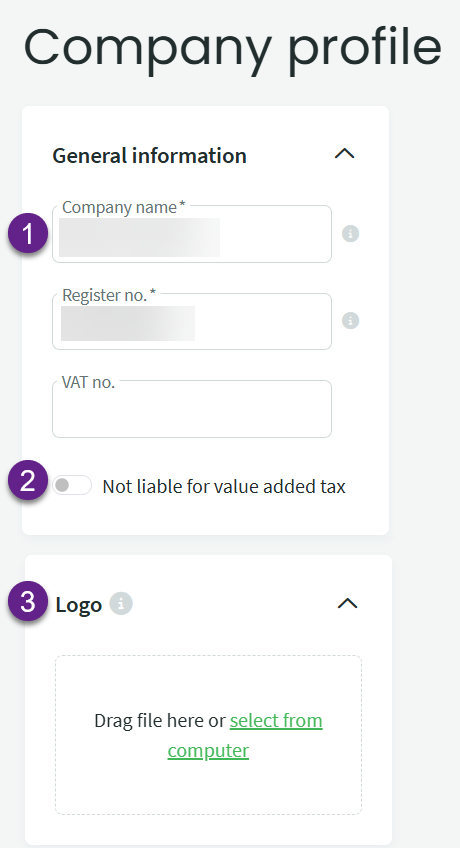
1. General information – the company name, registration code and VAT number (if applicable).
2. Company’s VAT status – this is saved to the documents. If the company is VAT-registered at the time the invoice is created, it is possible to change the VAT later when editing the invoice. If the invoice was created when the company was not VAT-registered, VAT cannot be added later.
If you select “Not liable for value added tax“, all VAT-related fields are removed from the invoice and information about the lack of VAT registration is added to the company details in the document footer.
3. Company logo – displayed in the header of the document. The logo may be in JPEG, PNG or GIF format and must not exceed 50 KB. Before adding a logo, the message “No logo” is displayed. After the logo is uploaded, a preview of the logo is shown. When a new logo is uploaded, the old image file is overwritten.
Uploading a new logo does not automatically update the layout of previously created documents. To update or add the logo on existing documents (such as a sales invoice), open the document for editing and save it again.
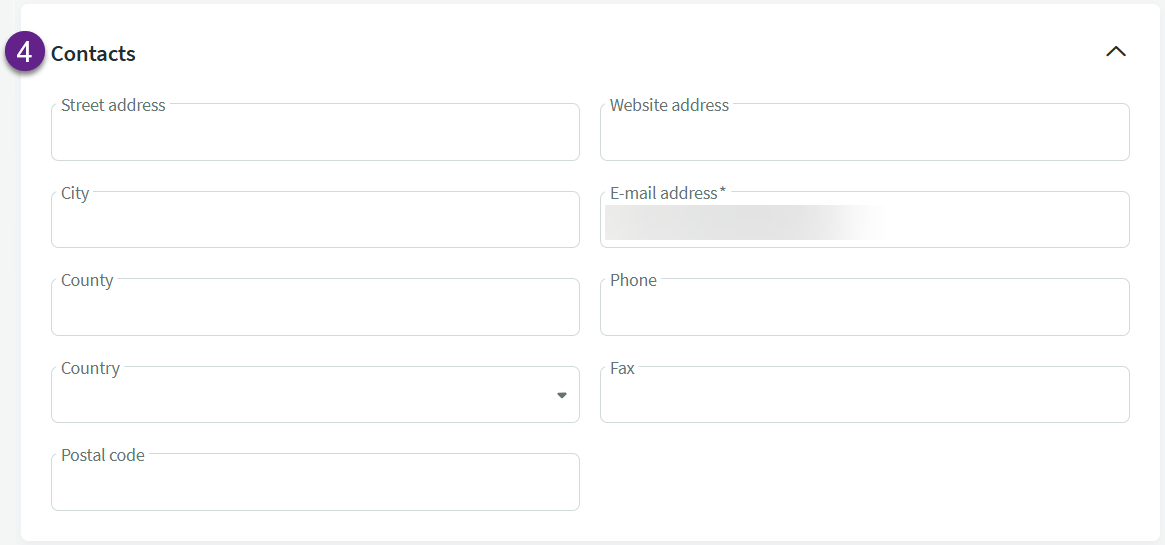
4. Contacts – the information added here will appear on the documents issued by the company.
If you have any additional questions, please write to us at support@simplbooks.ee

Leave A Comment?