
Accounting -> Accounts
SimplBooks includes a predefined chart of accounts, which you can adjust to match your company’s specific requirements. After adding a new account, check in the account list whether the account is linked to the required reports. If the link is missing or incorrect, you can make the necessary changes in the settings of the relevant report.
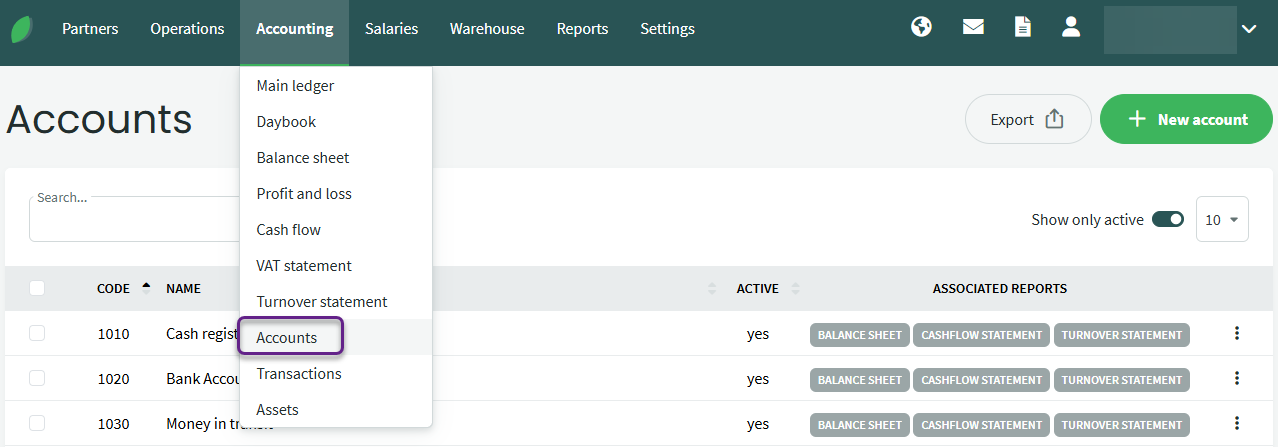
1xxx – Balance sheet accounts (assets)
2xxx – Balance sheet accounts (liabilities)
3xxx – Balance sheet accounts (equity)
4xxx – Profit and loss statement accounts (income)
5xxx-6xxx – Profit and loss statement accounts (expenses)
The 9xxx series can be used for creating off-balance-sheet clearing accounts. Keep in mind that the balance of these accounts must always be zero by the end of the day; otherwise, the balance sheet will not balance.
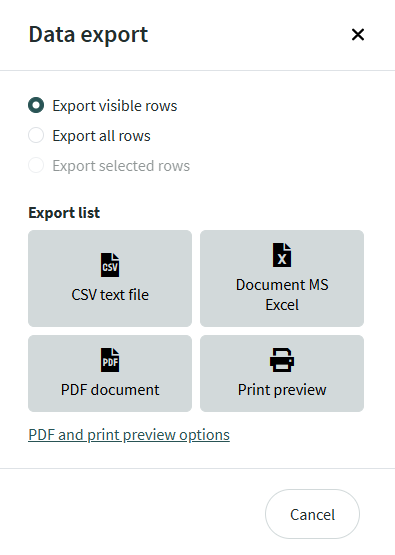
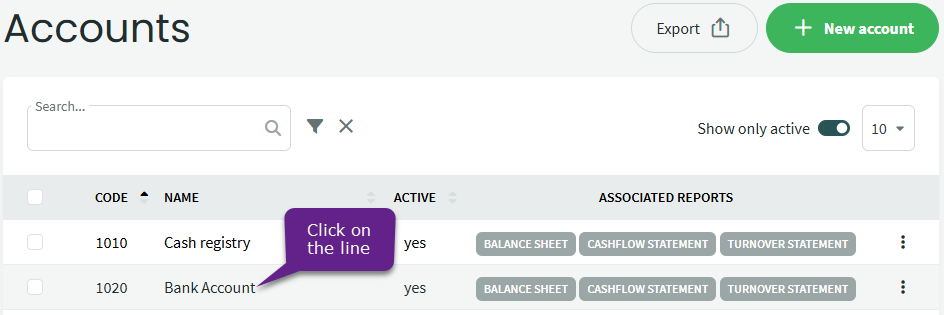
● The number of items per page can be selected from the dropdown menu above the list, but this selection is not saved. The default length of different lists in the environment can be set under . ● The list of accounts can be exported by clicking the “Export” button.In the window that opens, select the export format.
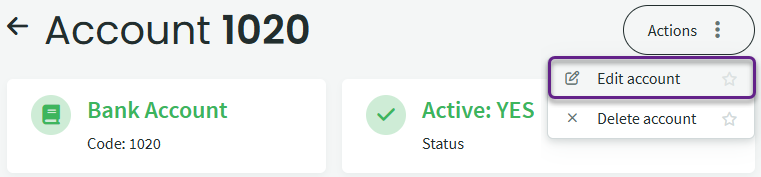
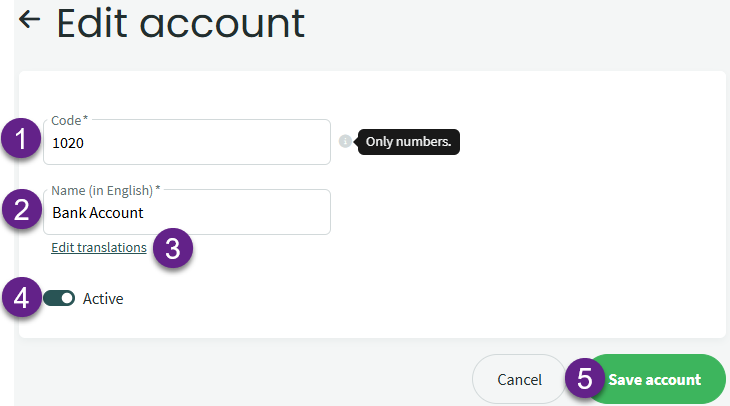
- Account code – the first digit indicates the type of account.We recommend keeping the existing account codes unchanged.
- Account name – in the environment’s default language.
- If you change the account name, also update its translations. System-created accounts already include translations.
- To deactivate an account, click the green button in the Active field.

- Save account – to confirm the changes made; Cancel – to discard the changes.
Example
You want to record different utility costs under separate accounts. By default, all utility costs are recorded under account 5220. In the profit and loss statement, the new account should appear under miscellaneous operating expenses, just like account 5220. Therefore, we’ll create a new account with a number close to the existing one, for example, 5221.
First, make sure that account number 5221 is not already in use.
Enter the account number in the search field.
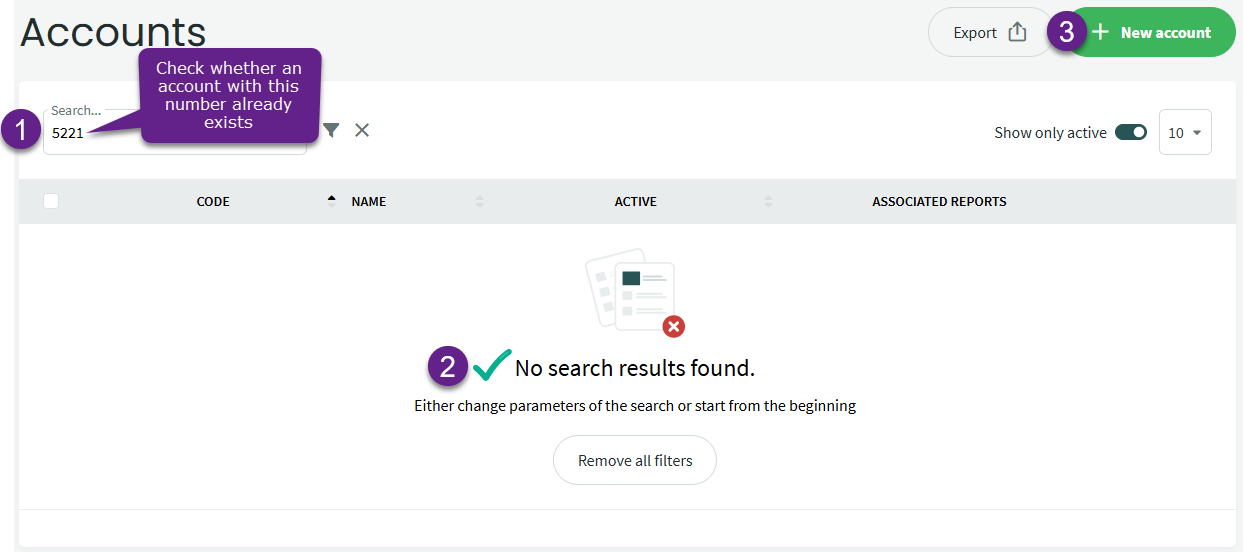
We can see that there is no account with this number in the system yet, so it can be used to create a new account.
● Click the “New account” button.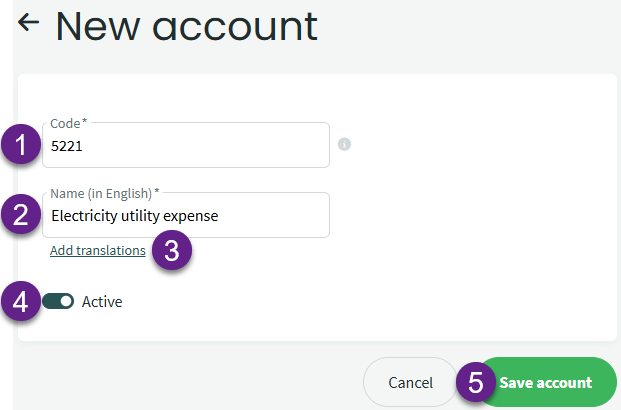
- Account code – enter the code here (5221)
- Account name (in English)
- Add translations for the account name if the environment is also used in languages other than English.
- Active must be turned on for the new account.
- Save account – to confirm the added account.
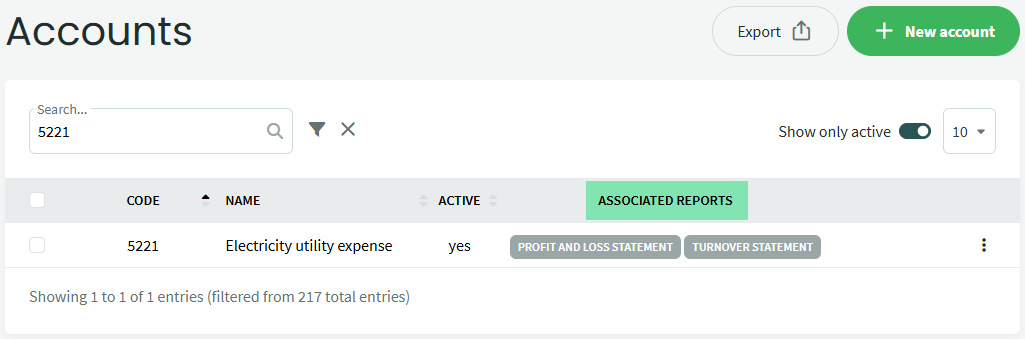
In this example, no changes are needed in the profit and loss statement settings because account 5221 falls within the account range specified for the relevant report line.
If you need to make changes in the report settings, you can find more information in the guide How to change the settings for preparing the main accounting reports?
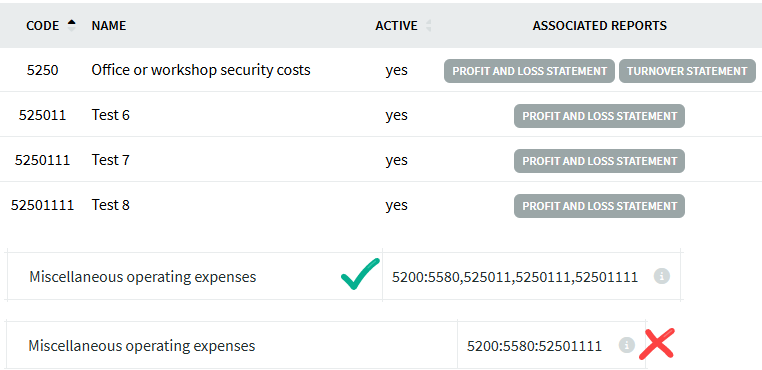
If needed, you can also add account numbers with 5 to 8 digits. When configuring reports, keep in mind that longer account numbers must not simply be added to the end of a range of four-digit accounts.
The new accounts must be added separately from the default account range, using a comma. For example, if you create accounts 525011, 525012, 525013, they can be entered as a separate range in the report settings.
For example, the setting can be: 5200:5580, 525011:525013.
If you have any additional questions, please write to us at support@simplbooks.ee

Leave A Comment?